
WhatsApp Message Scheduler Extension
✓ Client-side workflow • No Meta Business API setup • Works with WhatsApp Web
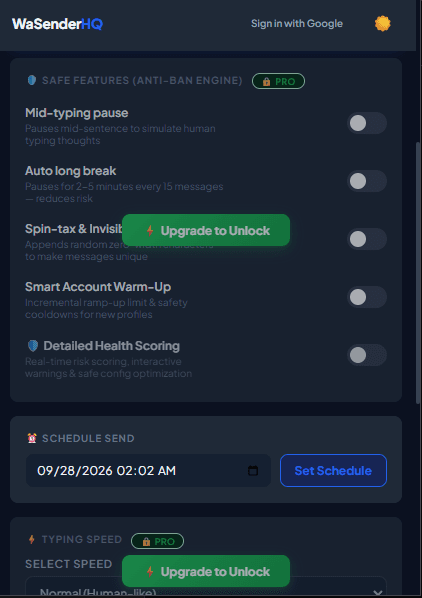
Timing plays a critical role in customer communication. Sending messages when recipients are unlikely to expect them can reduce usefulness and increase complaints. WaSenderHQ includes a Campaign Scheduler that lets you prepare a reviewed queue and schedule it for a suitable local time.
How Client-Side WhatsApp Scheduling Works
Unlike server-based systems that require sharing your WhatsApp credentials with third-party servers, WaSenderHQ runs locally inside your browser:
- Data Privacy: Your customer lists and messages never leave your browser or store on remote servers.
- Controlled Execution: When the scheduled time arrives, WaSenderHQ triggers the queued messages with your selected delay intervals.
- Active Session Requirement: Because it operates through WhatsApp Web, disable computer sleep mode or use a lightweight background tab while awaiting the scheduled trigger.
Best Times to Schedule WhatsApp Business Messages
Based on global communication benchmarks, optimal WhatsApp engagement occurs during these windows:
- Mid-Morning (10:00 AM – 11:30 AM): Ideal for B2B follow-ups, quotes, and meeting confirmations.
- Early Afternoon (2:00 PM – 4:00 PM): High engagement for e-commerce offers, order tracking updates, and appointment reminders.
- Respect local hours: Use the recipient's timezone and the context of the conversation. Avoid times when a message would be intrusive or unexpected.
Managing Scheduled Queues in WaSenderHQ
From the Queue Manager panel, you can view all upcoming campaigns, verify mapped contact fields, pause dispatches if details change, and review historical execution logs.
Start Sending WhatsApp Campaigns in Minutes — Try It Free
Install the official browser extension, open WhatsApp Web, and broadcast your personalized messages with smart delay pacing.
Frequently Asked Questions
Does my computer and browser need to stay on for scheduled WhatsApp messages?
Yes. Because WaSenderHQ executes dispatches client-side through your active WhatsApp Web browser tab, your computer, internet connection, and browser must remain awake and open at the scheduled execution time.
Can I edit, pause, or cancel queued scheduled campaigns?
Yes. You can review scheduled queues, edit message templates, adjust sending delays, or cancel pending campaigns anytime before the scheduled trigger time.
How do timezones work with scheduled campaigns?
WaSenderHQ uses your local computer clock to trigger scheduled dispatches. Ensure your device timezone matches your intended operational schedule.
What happens if my internet disconnects during a scheduled campaign?
If the connection drops, WaSenderHQ pauses the queue and logs the interruption. Once reconnected, you can resume the campaign from where it paused without duplicate messages.