
Import Google Sheets Contacts into WhatsApp Web
✓ Client-side workflow • No Meta Business API setup • Works with WhatsApp Web
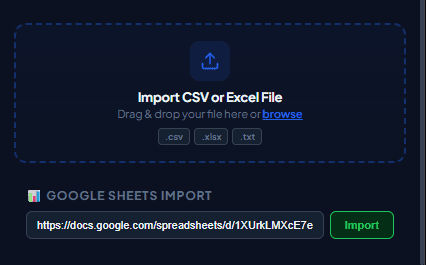
Google Sheets is the primary database for millions of businesses, e-commerce stores, and service providers. WaSenderHQ connects your Google Sheets rows directly to WhatsApp Web, allowing you to send tailored follow-ups without manual copy-pasting.
How to Connect Google Sheets to WhatsApp Web
1. Structure Your Google Sheet for Clean Import
Set up your spreadsheet so the first row contains clear column titles (such as Phone, First Name, Order ID, and Balance). Format the phone column as plain text to prevent Google Sheets from stripping leading zeros or converting long international numbers into scientific notation.
2. Link Your Sheet in WaSenderHQ
Open the WaSenderHQ sidebar in WhatsApp Web, select "Google Sheets Import", and authorize access or paste the sheet link. Select the specific tab containing your campaign list.
3. Map Columns to Message Variables
Select your phone number column, then write your outreach message using placeholders: "Hello {First Name}, your order #{Order ID} has been dispatched and will arrive by {Delivery Date}."
4. Review and Send with Controlled Pacing
Inspect sample previews to ensure all placeholders populate correctly. Set your delay intervals (e.g. 8 to 15 seconds) and launch the dispatch queue while keeping your browser tab open.
Best Practices for Google Sheets Campaigns
- Create Campaign-Specific Tabs: Keep outreach lists in a separate tab containing only relevant customer columns rather than exposing internal financial notes.
- Clean Formula Outputs: If using
CONCATENATEorVLOOKUPto generate phone numbers, ensure the final values output valid digits without spaces or symbols. - Track Opt-Outs: Record customer communication preferences in your master Google Sheet so suppressed contacts are excluded from future export tabs.
Start Sending WhatsApp Campaigns in Minutes — Try It Free
Install the official browser extension, open WhatsApp Web, and broadcast your personalized messages with smart delay pacing.
Frequently Asked Questions
How does Google Sheets integration work in WaSenderHQ?
WaSenderHQ securely reads selected spreadsheet data through Google authorization or via published Google Sheets CSV links. It imports rows into your local browser session for preview and dispatch.
Does WaSenderHQ modify or overwrite my Google Sheet?
No. The extension only reads the rows and column headers you select. It never alters your formulas, modifies sheet data, or accesses unrelated Google Drive files.
Can I map custom columns like Name, Amount, and Date from Google Sheets?
Yes. WaSenderHQ automatically detects all header columns in your Google Sheet and allows you to map them as dynamic placeholders (e.g. {Name}, {DueAmount}) inside your message template.
How do I handle live spreadsheet updates?
Because WaSenderHQ imports a snapshot of your sheet rows into the queue, simply click "Re-import" whenever new leads or rows are added to your Google Sheet.