
Manifest V3 Explained: Permissions, Storage, and Alarms
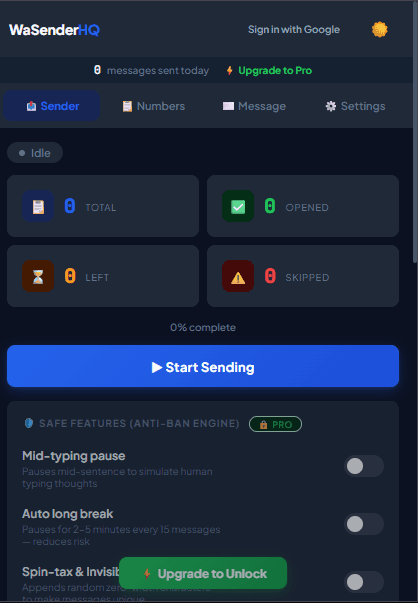
Browser security has evolved with Google Chrome's Manifest V3 standard. It changes extension permissions and background execution, but it does not by itself prove that every extension processes all data locally.
Practical workflow
Manifest V3 defines how modern Chrome extensions declare permissions, run background work, and load code. It improves platform controls, but the manifest version alone does not prove that an extension is private or trustworthy.
- 1
Review declared permissions
The manifest lists capabilities such as storage, tabs, alarms, identity, and access to specific websites. Compare each permission with a feature you intend to use.
- 2
Check host access
Host permissions show which websites the extension can interact with. WaSenderHQ needs WhatsApp Web and selected Google or Firebase services for its documented workflow.
- 3
Understand service workers
Manifest V3 background logic uses a service worker that can wake for events such as alarms. It is not a permanent server and cannot send if the required browser session is unavailable.
- 4
Separate local from remote data
Browser storage can hold campaign state locally, while sign-in and entitlement checks still communicate with documented services.
- 5
Verify the store identity
Check the extension ID, developer website, privacy disclosure, version, and update date before installing.
Pre-send checklist
- Extension ID verified
- Permissions reviewed
- Host access understood
- Privacy policy read
- Developer support link checked
- Current version confirmed
Common mistakes to avoid
Assuming Manifest V3 means no network access
An extension can still call allowed remote services. Inspect permissions and the privacy disclosure.
Ignoring update risk
Extensions can change after an update. Review release notes and new permission prompts.
Measure and improve the workflow
Define the stop conditions first
Before starting, decide who will supervise the queue and when it must pause: unexpected formatting, a disconnected WhatsApp Web session, a rising failure count, or recipient feedback that the message was not expected. Automation should make a reviewed process repeatable, not remove human judgment.
Measure the workflow, not a vanity number
Track sent, skipped, and failed entries together with pauses, corrections, replies, and opt-out requests. A large sent count does not prove delivery, relevance, or business value. The useful question is whether the intended service task was completed without creating avoidable recipient complaints.
Review access after testing
Check browser permissions, Google access, local drafts, saved schedules, and downloaded activity files after the campaign. Revoke access that is no longer required and remove outdated queues so a future user cannot restart an old campaign by mistake.
Keep a manual recovery path
Document how to stop the queue, reconnect WhatsApp Web, verify the current row, and continue only after the sender understands what happened. If behavior is unexpected, preserve the log and test with your own number rather than repeatedly retrying a real customer.
Frequently asked questions
Does a service worker run when the computer is off?
No. Browser alarms do not make an unavailable computer or disconnected WhatsApp Web session run a campaign.
Is the Chrome Web Store listing enough?
It is a useful identity and disclosure source, but you should also read the privacy policy and review requested permissions.
Sources and further reading
About the author
The WaSenderHQ Editorial Team documents workflows against the current public extension listing and product source, with a focus on accurate setup, privacy, and responsible use. Articles are revised when product behavior changes.