
How to Reduce WhatsApp Account Restriction Risk
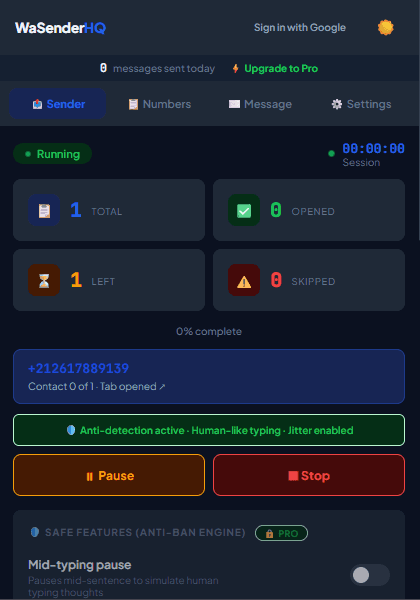
Account restrictions can result from several platform signals that an independent extension cannot see. Reduce avoidable risk by focusing on expected recipients, relevant messages, conservative volume, and recipient feedback.
Effective Risk Mitigation Strategies
- Opt-in Verification: Only message contacts who have interacted with your business or requested updates.
- Clear Unsubscribe Option: Include a polite note allowing recipients to reply "STOP" if they wish to opt out.
- Account Health Monitoring: Utilize WaSenderHQ's Account Health Meter to monitor message velocity.
Practical workflow
No extension can prevent an account block. You can reduce avoidable risk by contacting expected recipients, respecting platform policy, supervising volume, keeping identity clear, and stopping when feedback shows the campaign is unwelcome.
- 1
Audit the source list
Remove numbers without a documented relationship to the campaign purpose. Do not use scraped group members or purchased databases for unsolicited contact.
- 2
Set accurate expectations
The first message should identify the sender and explain why the recipient is being contacted. Avoid deceptive urgency or misleading sender identity.
- 3
Use a supervised pace
Start small and stay available to pause. Warm-up caps and delay controls are optional guardrails, not a protection guarantee.
- 4
Watch negative feedback
Opt-outs, blocks, complaints, and irrelevant replies are signals to stop and review the audience rather than increase variation.
- 5
Maintain an exclusion list
Keep opted-out and invalid recipients out of future spreadsheets, even if they appear again in a new export.
Pre-send checklist
- List source documented
- Purpose matches permission
- Sender identity present
- Easy opt-out path
- Small supervised batch
- Exclusions applied
Common mistakes to avoid
Searching for an “anti-detection” setting
Trying to conceal automation does not solve consent, relevance, or policy problems.
Ignoring recipient signals
A technically sent message can still be unwanted. Complaints and opt-outs require immediate action.
Measure and improve the workflow
Define the stop conditions first
Before starting, decide who will supervise the queue and when it must pause: unexpected formatting, a disconnected WhatsApp Web session, a rising failure count, or recipient feedback that the message was not expected. Automation should make a reviewed process repeatable, not remove human judgment.
Measure the workflow, not a vanity number
Track sent, skipped, and failed entries together with pauses, corrections, replies, and opt-out requests. A large sent count does not prove delivery, relevance, or business value. The useful question is whether the intended service task was completed without creating avoidable recipient complaints.
Review access after testing
Check browser permissions, Google access, local drafts, saved schedules, and downloaded activity files after the campaign. Revoke access that is no longer required and remove outdated queues so a future user cannot restart an old campaign by mistake.
Keep a manual recovery path
Document how to stop the queue, reconnect WhatsApp Web, verify the current row, and continue only after the sender understands what happened. If behavior is unexpected, preserve the log and test with your own number rather than repeatedly retrying a real customer.
Frequently asked questions
Can randomized delays stop restrictions?
No. They only change queue timing. Platform enforcement can consider many signals beyond intervals.
What should I do after a restriction?
Stop automation, review platform notices and the audience source, and use official support or appeal channels where available.
Sources and further reading
About the author
The WaSenderHQ Editorial Team documents workflows against the current public extension listing and product source, with a focus on accurate setup, privacy, and responsible use. Articles are revised when product behavior changes.