
Responsible WhatsApp Candidate Outreach for Recruiters
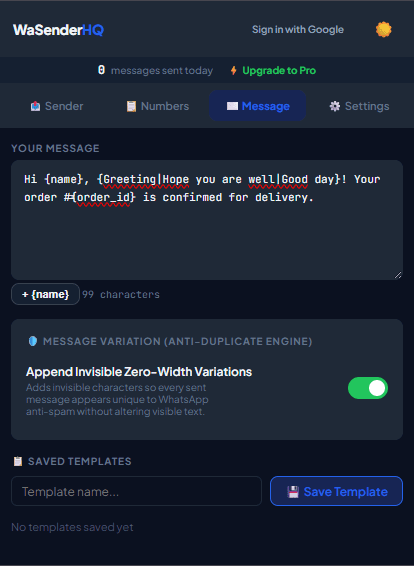
Recruiters need fast, direct communication channels to reach top candidates. Learn how agency recruiters organize applicant outreach queues using spreadsheet variables.
Practical workflow
Recruitment messages can contain personal and employment information. Contact candidates through a channel they provided, reference the specific role or application, and keep sensitive evaluation data out of the campaign spreadsheet.
- 1
Define the permitted audience
Use applicants, referrals, or candidates who agreed to be contacted. Do not treat an exported profile list as permission for bulk messaging.
- 2
Minimize candidate fields
Import name, role, stage, recruiter, and scheduling link. Keep interview notes, scores, salary history, and identity documents in the recruiting system.
- 3
Write a specific message
Identify the company and recruiter, name the role, explain the next step, and give a way to decline further contact.
- 4
Assign one owner
Prevent duplicate outreach by having one recruiter own each candidate row and status.
- 5
Update the source system
Record sent, replied, scheduled, declined, or wrong-number outcomes after reviewing the activity log.
Pre-send checklist
- Candidate provided the channel
- Specific role named
- Sensitive notes excluded
- One recruiter assigned
- Scheduling link verified
- Declines suppressed
Common mistakes to avoid
Sending a generic “opportunity” blast
A vague message reduces trust and may not match the context in which the candidate shared contact details.
Putting interview feedback in the sheet
The sender import should contain only fields needed for the message, not confidential assessment data.
Measure and improve the workflow
Connect the message to an expected event
Write down the appointment, order, interview, invitation, or service action that makes the message relevant. Use a sending window that matches that event and avoid adding unrelated promotion merely because the recipient supplied a phone number for operational updates.
Test clarity with representative rows
Preview short and long names, missing optional fields, international numbers, dates, amounts, and links. Ask whether the recipient can immediately identify the sender, understand why the message arrived, and know what to do next without opening a suspicious or ambiguous link.
Close the loop in the source system
Use the activity log to correct the booking, order, recruiting, or event record that produced the row. Record opt-outs and channel preferences in the system used to create future lists; otherwise the same unwanted recipient may return in the next export.
Evaluate the service outcome
Review whether the intended confirmation, reminder, or response was completed, not simply whether the queue advanced. Note recurring questions and failed fields, then improve the source data and template before repeating the workflow with another expected-recipient group.
Frequently asked questions
Can I message sourced candidates?
Only when your sourcing and contact process complies with applicable law, platform rules, and the candidate’s reasonable expectations.
Should candidates reply on WhatsApp?
Offer that only if recruiters monitor the channel and the reply will be handled securely.
Sources and further reading
About the author
The WaSenderHQ Editorial Team documents workflows against the current public extension listing and product source, with a focus on accurate setup, privacy, and responsible use. Articles are revised when product behavior changes.