
How to Send WhatsApp Messages Without Saving Contacts
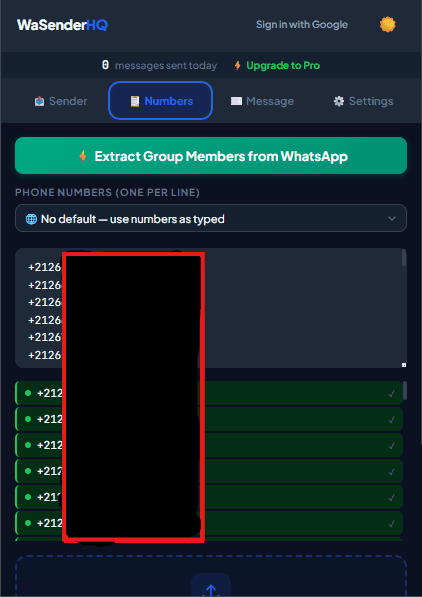
You can send a WhatsApp message without saving the recipient by opening a wa.me link containing the full international phone number. For several expected business follow-ups, a browser extension can open individual WhatsApp Web chats from a consented spreadsheet without adding those numbers to your personal address book.
Three ways to message a number without saving it
- Use a wa.me link: Enter
https://wa.me/15551234567in your browser, replacing the example with the complete country code and number. - Add a prepared message: Append a URL-encoded
?text=value when you want the chat to open with a draft that you can review before sending. - Import an approved contact list: Use WaSenderHQ to map spreadsheet fields and open separate WhatsApp Web conversations for contacts who expect your message.
WhatsApp documents the first method as Click to Chat. The phone number must be able to receive WhatsApp messages and should be written in international format without brackets, spaces, or a leading local zero.
Quick method for one phone number
- Copy the recipient's complete phone number, including the country calling code.
- Remove spaces, dashes, parentheses, and the plus symbol.
- Place the cleaned number after
https://wa.me/. - Open the link, choose Continue to Chat, review your message, and send it.
Which method should you use?
| Situation | Best method | What to know |
|---|---|---|
| One new customer | wa.me link | Fastest option and requires no extension. |
| Repeated support reply | wa.me link with prepared text | Review the draft before sending. |
| Consented spreadsheet list | WaSenderHQ CSV or Google Sheets import | Useful when each message needs names or custom fields. |
How to use a spreadsheet without saving contacts
Prepare one column containing international phone numbers and separate columns for fields such as name, appointment time, or order number. Import the file into WaSenderHQ, map the phone column, create a personalized template, and preview the resulting messages before starting the queue. See the complete CSV to WhatsApp workflow.
How to send WhatsApp messages from Excel without saving numbers
WaSenderHQ imports CSV files rather than native Excel workbooks. In Excel, keep phone numbers as text, save the campaign worksheet as a UTF-8 CSV, and import that file into the extension. Map the phone-number column, preview rows with different country codes, and correct invalid or duplicate entries before starting.
How to message multiple contacts without a broadcast list
A WhatsApp broadcast list is not required for a reviewed WaSenderHQ campaign. The extension prepares separate WhatsApp Web chats from the numbers in your CSV or Google Sheet. Use this only for relevant follow-ups that recipients expect, and pause the queue if the preview, contact data, or recipient feedback is not right.
Use direct messaging responsibly
Not saving a number does not remove the recipient's privacy rights or WhatsApp's rules. Contact only people who gave permission or reasonably expect the message, identify your business, provide an easy way to stop future messages, and avoid purchased or scraped lists. WaSenderHQ is an independent browser tool and is not affiliated with WhatsApp or Meta.
Frequently asked questions
Can I use wa.me on a computer?
Yes. The link can open WhatsApp Web in a desktop browser. You may need to sign in or link the browser to your WhatsApp account first.
Why does a Click to Chat link fail?
The most common causes are a missing country code, spaces or punctuation in the number, a leading local zero, or a number that is not registered with WhatsApp.
Does the recipient see that I did not save their number?
No special label is added because you used a direct link. The recipient sees the chat according to their own WhatsApp privacy settings and whether they have saved your number.
Practical workflow
Direct links and browser queues remove the address-book step, not the responsibility to contact only expected recipients. Use one-off wa.me links for individual chats and a reviewed spreadsheet only when several relevant follow-ups are genuinely needed.
- 1
Choose the one-contact or list method
Use a wa.me link for one person. Use a spreadsheet queue only when several recipients expect the same type of follow-up.
- 2
Normalize the number
Include the country calling code and remove spaces, brackets, and local dialing prefixes that do not belong in international format.
- 3
Explain the context
Identify the sender and reference the request, order, booking, or other relationship that makes the message expected.
- 4
Preview before opening chats
Check every variable and make sure an empty field cannot create an awkward or misleading message.
- 5
Record opt-outs
Remove recipients who ask not to be contacted again from future imports, even though they were never saved in the phone address book.
Pre-send checklist
- Correct international number
- Expected purpose documented
- Sender identified
- Fields previewed
- No purchased list
- Opt-outs recorded
Common mistakes to avoid
Equating unsaved with anonymous
The recipient still sees the account identity and can block or report the conversation.
Using direct chat for unrelated promotion
Skipping the address book does not create permission for unsolicited marketing.
Measure and improve the workflow
Connect the message to an expected event
Write down the appointment, order, interview, invitation, or service action that makes the message relevant. Use a sending window that matches that event and avoid adding unrelated promotion merely because the recipient supplied a phone number for operational updates.
Test clarity with representative rows
Preview short and long names, missing optional fields, international numbers, dates, amounts, and links. Ask whether the recipient can immediately identify the sender, understand why the message arrived, and know what to do next without opening a suspicious or ambiguous link.
Close the loop in the source system
Use the activity log to correct the booking, order, recruiting, or event record that produced the row. Record opt-outs and channel preferences in the system used to create future lists; otherwise the same unwanted recipient may return in the next export.
Evaluate the service outcome
Review whether the intended confirmation, reminder, or response was completed, not simply whether the queue advanced. Note recurring questions and failed fields, then improve the source data and template before repeating the workflow with another expected-recipient group.
Frequently asked questions
Is wa.me an official method?
WhatsApp provides Click to Chat links for starting a conversation with a valid number without saving it first.
Can I add prepared text to a direct link?
Yes. URL-encoded text can prefill a draft, which you should review before sending.
Sources and further reading
About the author
The WaSenderHQ Editorial Team documents workflows against the current public extension listing and product source, with a focus on accurate setup, privacy, and responsible use. Articles are revised when product behavior changes.