
International Phone Number Format for CSV Imports
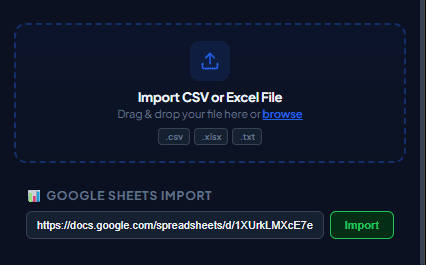
Phone number formatting is a common cause of skipped or failed rows. A consistent international text format reduces avoidable import problems, but it cannot guarantee that a number is registered or reachable.
International Number Syntax
WhatsApp requires phone numbers to include country call prefixes without leading zeroes, plus signs, brackets, or dashes. For example, a US number should be formatted as 15551234567, and a UK number as 447123456789.
Excel Formula for Quick Formatting
If your spreadsheet contains spaces or dashes, use Excel's SUBSTITUTE formula to clean numbers instantly: =SUBSTITUTE(SUBSTITUTE(A2,"-","")," ","").
Practical workflow
Phone numbers are identifiers, not quantities. Spreadsheet arithmetic, regional formatting, and missing country codes can silently change them, so a clean import preserves the exact international number as text.
- 1
Select the correct country code
Use the international calling code for the recipient’s country. Do not infer the code from language, name, or current location.
- 2
Remove local dialing prefixes
Many national formats begin with a zero that is not used after the international country code. Verify the rule for the relevant numbering plan.
- 3
Store the value as text
Set the spreadsheet column to plain text before pasting numbers. This prevents scientific notation and unwanted numeric conversion.
- 4
Remove separators consistently
Spaces, dashes, brackets, and labels such as “mobile” should not be part of the imported number value.
- 5
Validate with a sample
Test representative countries and edge cases using contacts who agreed to the check. A syntactically valid number still may not be registered or reachable.
Pre-send checklist
- Correct country calling code
- No extension text in phone field
- Column formatted as text
- No scientific notation
- Duplicates reviewed
- Test countries sampled
Common mistakes to avoid
Adding a country code to every row blindly
A mixed-country list needs row-specific codes. One default prefix can route messages to the wrong destination.
Treating syntax validation as consent
A correctly formatted number says nothing about whether the person expects a message.
Measure and improve the workflow
Record the source snapshot
Write down when the file or sheet was exported, which filters were active, who owns the source list, and which columns were intentionally included. This makes a later correction traceable and prevents an old export from being mistaken for the current campaign list.
Measure import quality
Count empty phone cells, duplicates, rejected rows, missing personalization values, and the countries represented in your sample. Import quality is more useful than raw list size: a smaller reviewed list is easier to supervise and less likely to produce confusing messages.
Reconcile the result
After the test, compare the activity log with the source rows. Correct formatting problems in the source system instead of patching only the exported file, and keep consent or communication-preference records outside the campaign spreadsheet so they remain available for future checks.
Protect the working copy
Give the campaign file a clear date and owner, limit access to people preparing the send, and remove unrelated notes before sharing it. Delete temporary exports when they are no longer needed, following the retention rules that apply to your organization.
Frequently asked questions
Should I keep the plus sign?
WaSenderHQ can normalize common forms, but a consistent international text format makes the source file easier to audit.
Why did Excel change my number?
The column was probably treated as numeric data. Format it as text before entering or importing phone values.
Sources and further reading
About the author
The WaSenderHQ Editorial Team documents workflows against the current public extension listing and product source, with a focus on accurate setup, privacy, and responsible use. Articles are revised when product behavior changes.